Industry Solutions
Why MBBR Media Floats, Sinks or Piles Up in Dead Zones
MBBR media floating, sinking or piling up? The causes are physical — density, biofilm, air and fill — and most are fixable without new media.
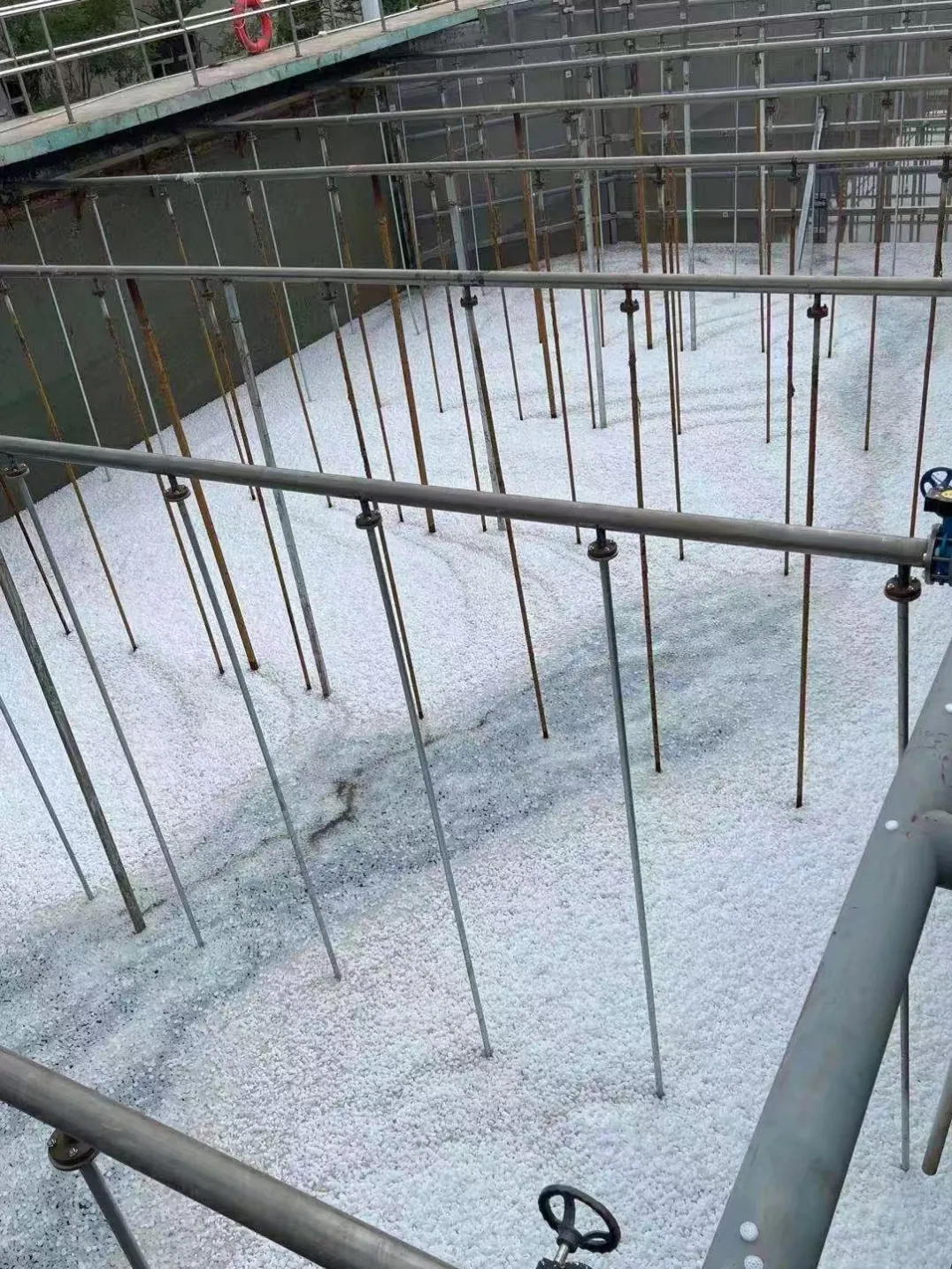
MBBR media that floats on the surface, sinks to the floor, or piles up in one corner of the tank is not circulating — and media that does not circulate is not treating water evenly. The three behaviours look similar from the walkway, but they have different causes, and only one of them usually means the media itself is the problem. Most of the time the cause is physical: the density of the carrier has changed, the air is not reaching part of the tank, or the tank is carrying more media than it can move.
Why new media floats — and why that is usually normal
Fresh HDPE MBBR carriers are moulded from 100% virgin HDPE with a density of 0.96–0.98 g/cm³ — just below the density of water. A new carrier therefore floats. That is the design, not a defect: near-neutral buoyancy lets the carriers circulate through the whole depth of the tank instead of sitting on the surface or the floor.
What changes the behaviour is biofilm. Once the carriers are in service, a biofilm layer grows on their protected surfaces, and that layer is denser than the carrier itself. As the film builds, each carrier's effective density rises toward, and then past, the density of water, and it starts to move down through the water column instead of riding on top. Membrane-forming on HDPE media takes 3 to 15 days, so the change from "everything floats" to "everything is moving" normally happens inside the first two weeks of startup.
Floating media in the first days after dosing is therefore expected, not a fault — give the biofilm time before changing anything. If media is still floating flat on the surface after several weeks with no sign of biofilm, the problem is not the media: check the startup conditions — load, temperature, or cleaning chemical reaching the tank. Our MBBR startup and biofilm commissioning guide covers those first-week checks.
Why media sinks — and when to worry
The reverse behaviour, media sitting on the tank floor and barely moving, has three common causes:
1. Heavy biofilm or scaling. A mature biofilm adds mass, and in hard water or mineral-rich industrial streams, scale can add more. Some sinking in a mature bed is normal — the carriers should still be picked up and tumbled by the air. If a large share of the bed lies still on the floor, the air is not doing that job.
2. Grit and inorganic solids inside the carriers. Sand or fine grit that passes pretreatment can lodge in the carrier's internal structure. Unlike biofilm, grit does not slough off, so the density gain is permanent. The fix is upstream: pretreatment has to stop the grit before the media can be expected to behave.
3. Waterlogged or damaged carriers. A cracked carrier can take in water and will not float again. A few damaged pieces in a mature bed are normal; if a sample shows many cracked or deformed carriers, the bed is wearing. The wear picture, including whether to top up or replace, is covered in our guide to how long MBBR media lasts.
Judge sinking on rinsed media, not on media pulled straight from the tank. A thick biofilm changes buoyancy on its own. Take a sample, rinse it, and watch how it behaves in a bucket of clean water before deciding the media is at fault.
Why media piles up in dead zones
The most common circulation failure has nothing to do with the media at all. The carriers pile up where the water does not move, and the water does not move where the air does not reach.
Uneven aeration. Diffusers that are partly fouled, unevenly valved, or laid out with gaps leave one zone boiling violently while another sits still. The violent zone throws carriers up and over; the still zone collects them. The fix is in the air distribution — cleaning, rebalancing, or re-spacing the diffusers — not in the media. The MBBR aeration sizing guide explains how air is split between oxygen supply and mixing duty, and why the two jobs can pull in different directions.
Overfilling. Design filling ratios for MBBR media run from 15% to 65% of reactor volume, and the top of that range leaves little free space for movement. A tank dosed beyond its design fill cannot fluidise properly no matter how much air is supplied: the carriers pack against each other, jam in corners, and pile up behind baffles and screens. If the fill was increased to add capacity, the pile-up may be the sign that the tank has reached the limit of that approach. The volume arithmetic for a top-up or a re-dose is covered in our MBBR media volume calculation guide.
Screen and outlet geometry. Carriers collect against retention screens, at baffle edges, and in corners where the flow turns. Some collection at a screen is normal — it is the screen doing its job. A growing bank of media pinned against a screen, especially after a hydraulic surge, points to the screen or the flow pattern rather than to the carriers. Check the screen condition and the flow path before touching the media. The retention screen sizing guide covers screen selection and the loading that drives media against it.
Low water level or short-circuiting flow. A tank run below its design level has less water cushion, so the same air energy throws carriers harder in a smaller volume. An inlet and outlet placed so that part of the flow crosses the tank quickly leaves the rest of the volume almost still, and media settles into the still part. Both are layout problems, and both are cheaper to correct than replacing a bed.
Diagnosing the behaviour you see
Match what you see to the likely cause before changing anything:
What you see | Most likely cause | First check |
|---|---|---|
All media floating, first 1–2 weeks after dosing | New carriers, biofilm not yet formed (3–15 days) | Wait and watch for biofilm; check startup conditions |
Media still floating flat after several weeks | No biofilm growth, or load / temperature / chemical problem | Startup conditions; cleaning chemical reaching the tank |
Media sinking and lying still on the floor | Heavy biofilm, scaling, or grit lodged in carriers | Rinsed-sample buoyancy test; air distribution |
Media piling in one corner or behind a baffle | Dead zone — uneven aeration or flow short-circuit | Diffuser fouling and valve balance; flow path |
Media banked against the retention screen | Screen loading, hydraulic surge, or overfill | Screen condition; fill ratio vs 15–65% design range |
Media moving in one zone, still in another | Uneven air distribution across the tank | Diffuser layout and fouling, zone by zone |
Work the table from the top. The cheapest explanations — startup timing and air distribution — come first; the expensive one, replacing media, comes last.
A quick field check, in order
Run this before ordering anything. If the carriers are intact and the behaviour changes with the air — opening a valve or cleaning a diffuser grid moves the pile — the media was never the fault; the fix is in the air or the fill. It is a media problem only when a rinsed sample shows a large share of carriers cracked, deformed, polished smooth, or carrying permanent inorganic weight, and the behaviour continues after the air and the fill have been checked.
- How old is the biofilm? If the media was dosed less than two weeks ago, floating is expected. Wait for the 3–15 day formation window.
- What is the fill ratio? Compare the current media volume against the design dose. Above the 15–65% design range, overfill is the prime suspect.
- Is the air even? Walk the tank and look at the surface zone by zone. Boiling in one place and still water in another means diffuser work, not media work.
- What does a rinsed sample do? Rinse a bucket of carriers and watch them in clean water. Healthy carriers circulate; damaged or grit-loaded ones do not.
- What changed just before the behaviour started? A new fill, a chemical event, a grit carryover, or a diffuser change usually names the cause.
If all five checks point back to the media itself, compare the bed against its original specification, not a guess — protected surface area differs by model (MBBR19 above 650 m²/m³, MBBR37 above 800, MBBR64 above 1,200, MBBR76 above 1,600), and one model, MBBR08, has no verified surface-area figure published. Then check quantity and model against the HDPE MBBR biofilter media range, which lists the protected surface area for each model. Top up if the remaining media is sound and only volume has been lost; replace in stages if a large share is damaged — never replace a full bed in one step while the reactor is in service, since membrane-forming takes 3 to 15 days. The MBBR media comes from our own factory in Yixing, and sizing support for a specific project is arranged case by case.
FAQ
Why is MBBR media floating on top and not mixing? New HDPE carriers have a density of 0.96–0.98 g/cm³, just below water, so they float until biofilm forms — normally within 3 to 15 days. If media is still floating flat after several weeks, check startup conditions: load, temperature, and whether cleaning chemical is reaching the tank.
Why is MBBR media sinking to the bottom? A mature biofilm adds mass, and scale or grit lodged in the carriers adds more. Some sinking is normal if the air still picks the carriers up and tumbles them. Media lying still on the floor usually means the air is not reaching that zone, or the carriers are carrying permanent inorganic weight.
Why does MBBR media pile up in one corner? That is a dead zone: the water is not moving there because the air distribution is uneven, the flow short-circuits past it, or the tank is overfilled past its design filling ratio of 15–65%. Clean and rebalance the diffusers and check the fill before blaming the media.
Media not circulating the way it should?
Send us your tank size, the media model and fill level, and a short description of what the media is doing via our contact page. We will check the fill and the likely cause free of charge.