Industry Solutions
RAS Biofilter Troubleshooting: Is the Problem Solids, Oxygen, Flow or Biological Load?
Use this practical RAS biofilter troubleshooting workflow to separate solids, oxygen, flow, biological load and biofilm problems before changing media or equipment.
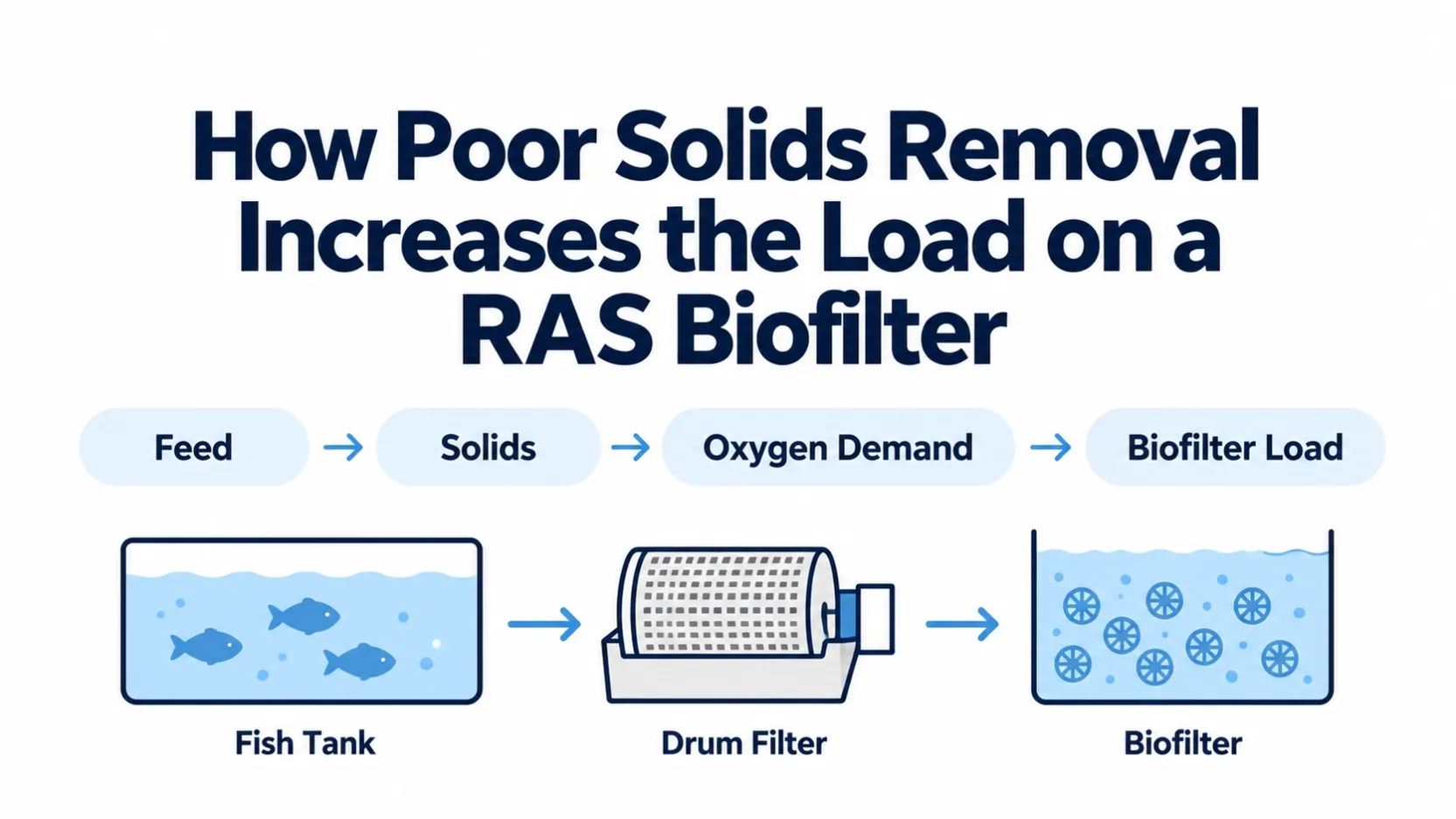
When a recirculating aquaculture system becomes unstable, the biofilter is often the first component to be blamed.
That can lead to the wrong corrective action.
Rising ammonia or nitrite may be related to biological loading, but similar symptoms can also appear when solids carryover increases, dissolved oxygen falls, water distribution changes, mixing becomes uneven, pH or alkalinity shifts, or a recent operating event temporarily reduces nitrification.
The useful question is therefore not:
“Is the biofilter failing?”
It is:
“Which condition changed first, and which part of the system is now limiting biofilter performance?”
This guide provides a practical troubleshooting sequence for RAS operators, integrators and retrofit engineers who need to separate solids, oxygen, hydraulic and biological problems before replacing media or increasing biofilter capacity.
Start With the Timeline
Before checking equipment, reconstruct what changed.
Record:
- when the water-quality trend first changed;
- which parameter moved first;
- recent changes in feed rate;
- stocking or biomass changes;
- mortality or grading events;
- pump or blower maintenance;
- drum-filter or solids-removal problems;
- changes in water exchange;
- chemical treatment or medication;
- biofilter cleaning or media disturbance;
- temperature changes;
- pH or alkalinity changes;
- power outages or circulation interruptions.
A single water-quality result is rarely enough to diagnose a process problem.
Trend data is more useful because it helps distinguish a sudden mechanical or hydraulic event from a gradual biological-capacity problem.
For troubleshooting, compare the current condition with the system's own normal operating baseline rather than applying one universal value to every RAS.
1. Check Solids Before Blaming the Biofilter
Particulate waste, uneaten feed and fine suspended solids can increase oxygen demand and interfere with normal biofilter operation.
If solids removal becomes less effective, more material may reach the biological stage.
Check:
- screen mesh integrity;
- backwash operation;
- water level across the filter;
- visible solids carryover;
- sludge removal frequency;
- accumulation in sumps or pipework;
- feed waste;
- unusual turbidity;
- solids trapped around or inside biofilter media.
A solids problem can create several secondary effects:
- higher oxygen demand;
- more heterotrophic biological activity;
- localized fouling;
- restricted flow through fixed or packed media;
- more solids reaching downstream units.
This is why a rising ammonia trend should not automatically be treated as a media-capacity problem.
If solids carryover increased first, restore solids control before deciding that the biofilter itself needs replacement or expansion.
2. Check Whether Flow Has Changed
The biofilter depends on reliable water distribution.
Review:
- total recirculation flow;
- pump operating status;
- valve position;
- bypass conditions;
- blocked strainers;
- pipe restrictions;
- water level;
- flow distribution between parallel biofilter units;
- recent pump replacement or speed adjustment.
A change in flow can alter:
- contact between water and biofilm;
- oxygen delivery;
- hydraulic loading;
- distribution between parallel treatment units;
- carrier movement in moving-bed systems;
- accumulation of solids in low-flow zones.
Do not rely only on a pump nameplate or controller setting.
Where possible, compare actual or estimated current flow with the system's normal operating condition.
Watch for Uneven Distribution
In systems with more than one biofilter vessel or reactor, one unit may receive more flow than another.
Look for:
- unequal water levels;
- different media movement;
- different DO readings;
- visibly different solids accumulation;
- different outlet water quality where sampling is possible.
An apparently adequate total recirculation rate can still hide poor distribution.
3. Check Oxygen and Aeration
Nitrification is an aerobic process.
A biofilter can have enough media surface area and still lose effective capacity if oxygen delivery becomes limiting.
Check:
- dissolved oxygen entering the biofilter;
- dissolved oxygen leaving the biofilter where practical;
- DO trend during peak feeding;
- blower or oxygen-system operation;
- air distribution;
- pressure changes;
- blocked air lines;
- gas-transfer equipment;
- carrier movement in moving-bed systems.
The most useful question is not whether the aeration equipment is running.
Ask:
Is enough oxygen actually reaching the biofilter under the current biological load?
A blower may be operating while diffuser fouling, increased water depth, distribution problems, pipe losses or higher biomass load reduce the useful oxygen available to the process.
Oxygen and Mixing Are Related but Not Identical
In a moving-bed biofilter, aeration may also provide mixing and carrier movement.
Check whether media are:
- moving throughout the reactor;
- accumulating in corners;
- collecting against retention screens;
- remaining on the tank floor;
- moving strongly in one zone but poorly in another.
Adding more air without understanding the hydraulic pattern may not solve a distribution problem.
4. Compare Feed and Biological Load With the Previous Stable Period
In RAS, feed is one of the most useful operating indicators of biological loading.
Review:
- current daily feed;
- recent feed increases;
- feed distribution during the day;
- biomass increase;
- stocking changes;
- fish size;
- reduced feeding or fasting periods;
- restart after a low-load production period.
A biofilter that was stable at the previous load may need time to respond when ammonia production increases.
The key question is:
Did the biological load increase faster than the active nitrifying population could respond?
Do not assume that a sudden increase in ammonia means the installed media has permanently become too small.
First compare the new load with the operating history.
5. Read Ammonia and Nitrite Together
Ammonia and nitrite trends can provide useful diagnostic clues.
Ammonia Rising, Nitrite Still Low
Possible areas to investigate include:
- increased ammonia production;
- low oxygen availability;
- reduced active nitrification;
- poor water distribution through the biofilter;
- recent disturbance or cleaning;
- pH, alkalinity or temperature changes;
- chemical or medication exposure.
Ammonia Improving but Nitrite Rising
This can indicate that ammonia oxidation is occurring while the second nitrification step has not yet matched the current load.
The pattern is particularly useful during:
- biofilter start-up;
- recovery after disturbance;
- a rapid feed increase;
- recommissioning after a low-load period.
Both Ammonia and Nitrite Rising
Check system-wide conditions first:
- circulation;
- oxygen;
- pH and alkalinity;
- recent operational events;
- solids accumulation;
- sudden loading increase;
- biofilter disturbance.
Do not diagnose from one parameter in isolation.
Use the trend, the operating history and the timing of process changes together.
6. Check pH, Alkalinity and Temperature
Biofilter performance is not controlled by media alone.
Nitrification is influenced by the surrounding water chemistry and operating environment.
Review:
- pH trend;
- alkalinity trend;
- temperature;
- salinity where relevant;
- recent make-up water changes;
- chemical dosing changes.
A system may show signs of reduced nitrification even though pumps, blowers and media appear mechanically normal.
If the problem began after a significant change in water chemistry or temperature, that timing should be included in the diagnosis.
Avoid correcting one parameter aggressively without considering how the change affects the rest of the culture system.
7. Inspect the Biofilter and Media Condition
Only after the upstream and operating conditions are checked should the investigation focus more closely on the media itself.
Depending on biofilter type, inspect for:
- uneven biofilm distribution;
- excessive solids accumulation;
- clogged void spaces;
- damaged media;
- lost media;
- poor carrier movement;
- channeling;
- abnormal odor;
- unusual color change;
- excessive sloughing;
- blocked retention screens;
- media loss after maintenance.
For moving-bed media, confirm that carriers can move freely under normal operating conditions.
For fixed or packed media, look for evidence of solids accumulation or flow restriction.
The objective is not to judge media by appearance alone.
The objective is to determine whether the physical condition of the biofilter is consistent with the water-quality and hydraulic symptoms.
8. Check for a Recent Biological Disturbance
Some biofilter problems follow an identifiable event.
Examples can include:
- prolonged circulation interruption;
- aeration failure;
- power outage;
- aggressive cleaning;
- media replacement;
- extended low-feed period;
- restart after production downtime;
- medication or chemical treatment;
- major salinity change;
- rapid temperature shift.
A biological filter may require recovery time after the operating environment changes.
If the system was stable before a specific event, document the event before redesigning the biofilter.
9. Separate Capacity Problems From Operating Problems
This distinction prevents unnecessary equipment changes.
An Operating Problem Is More Likely When:
- performance changed suddenly;
- equipment status recently changed;
- flow distribution is abnormal;
- DO declined;
- solids carryover increased;
- pH or alkalinity changed;
- a cleaning, medication or shutdown event occurred;
- feed remained within the previous stable range.
A Capacity Problem Is More Likely When:
- feed or biomass has increased progressively;
- ammonia or nitrite problems appear consistently at higher loads;
- solids control, flow, oxygen and water chemistry have been checked;
- the biofilter returns to acceptable performance when loading is reduced;
- the system is approaching a new production target beyond its previous stable operating range.
Even then, capacity review should consider more than media volume.
Aeration, hydraulics, carrier retention, solids management and available reactor volume should be reviewed together.
A Practical RAS Biofilter Troubleshooting Workflow
Step | What to Check | Key Question |
|---|---|---|
1. Timeline | Feed, biomass, equipment, water-quality trends | What changed first? |
2. Solids | Drum filter, screens, sludge, turbidity | Are more solids reaching the biofilter? |
3. Flow | Pumps, valves, distribution, recirculation | Is water reaching the biofilter correctly? |
4. Oxygen | DO, aeration, gas transfer, media movement | Is oxygen delivery adequate under current load? |
5. Biological Load | Feed, biomass, recent production increase | Has load increased beyond the previous stable condition? |
6. Water Chemistry | pH, alkalinity, temperature, salinity | Did the biological environment change? |
7. Media/Biofilter | Biofilm, clogging, media movement, screens | Is the physical biofilter condition abnormal? |
8. Response | TAN, nitrite and operating trends | Which change best explains the observed pattern? |
Use a Symptom-to-System Diagnostic Path
A practical field sequence is:
Step 1 — Confirm the Symptom
Identify whether the main problem is:
- ammonia increase;
- nitrite increase;
- unstable DO;
- reduced recirculation;
- high turbidity;
- poor biofilter movement;
- or a combination of several symptoms.
Step 2 — Check the Upstream Solids System
Confirm that screens, drum filters, settling or other solids-removal units are operating normally.
Step 3 — Confirm Flow and Oxygen
Verify circulation, water distribution, DO and aeration before changing the biofilter.
Step 4 — Compare the Current Biological Load
Compare current feed, biomass and ammonia load with the previous stable operating period.
Step 5 — Review Water Chemistry and Recent Events
Check pH, alkalinity, temperature and any treatment, maintenance or shutdown event.
Step 6 — Inspect the Biofilter
Evaluate media condition, movement, flow pattern, clogging and retention.
Step 7 — Decide What Needs Correction
The corrective action may involve:
- restoring solids removal;
- correcting flow distribution;
- restoring aeration or oxygen delivery;
- reducing or managing load temporarily;
- allowing biological recovery;
- correcting operating conditions;
- cleaning or restoring the biofilter;
- increasing biological capacity;
- or redesigning part of the treatment train.
Do not jump directly from “ammonia increased” to “install more media.”
What Data Should Be Recorded During a Biofilter Problem?
Useful troubleshooting data include:
- system water volume;
- recirculation flow;
- species;
- estimated biomass;
- daily feed;
- recent feed trend;
- TAN/ammonia trend;
- nitrite trend;
- nitrate where monitored;
- pH;
- alkalinity;
- temperature;
- salinity where applicable;
- DO before and after the biofilter where practical;
- solids or turbidity observations;
- drum-filter or screen condition;
- biofilter type;
- media type and quantity;
- aeration arrangement;
- recent maintenance or chemical treatment;
- date and time of the first abnormal trend.
A simple chronological operating log is often more useful than a large group of disconnected measurements.
When Should You Consider a Biofilter Upgrade?
A retrofit or capacity increase becomes more relevant when operational causes have been checked and the existing system repeatedly reaches its limit at the required production load.
Possible project questions include:
- Is more biofilm area required?
- Is the existing reactor large enough?
- Can additional media move correctly?
- Is the existing aeration system adequate?
- Is the retention screen suitable?
- Does solids removal need to be upgraded first?
- Would a different biofilter configuration better match the production target?
The answer should come from the complete RAS process, not from media surface area alone.
Technical Basis
Aquaculture guidance on recirculating systems consistently treats biofilter performance as a system issue involving solids removal, dissolved oxygen, water flow, ammonia/nitrite monitoring and biofilter condition. Guidance from the Southern Regional Aquaculture Center and extension resources also emphasizes extension resourcesolids from reaching the biofilter, maintaining suitable oxygen and flow, monitoring ammonia and nitrite, and allowing biofilters to condition or recover after operating changes.
These principles support a troubleshooting sequence that checks the surrounding process before concluding that media or biofilter capacity is the root cause.
Need Help Separating a Biofilter Problem From a System Problem?
Useful information includes:
- system volume;
- recirculation flow;
- species and estimated biomass;
- daily feed and recent feed changes;
- TAN/ammonia and nitrite trends;
- temperature, pH and DO;
- solids-removal equipment;
- biofilter configuration;
- media type and quantity;
- aeration or oxygenation arrangement;
- recent maintenance or operating changes;
- photos or process drawings where available.
HydroNovus can provide a preliminary RAS biofilter troubleshooting and retrofit review to help identify whether the strongest evidence points toward solids control, oxygen delivery, hydraulic conditions, biological loading, biofilter condition or additional capacity requirements.
Final operating changes, fish-health decisions and project-specific process design should be confirmed by the responsible aquaculture and engineering team.